Mastering Your Digital Presence with 11 Portfolio UI Elements
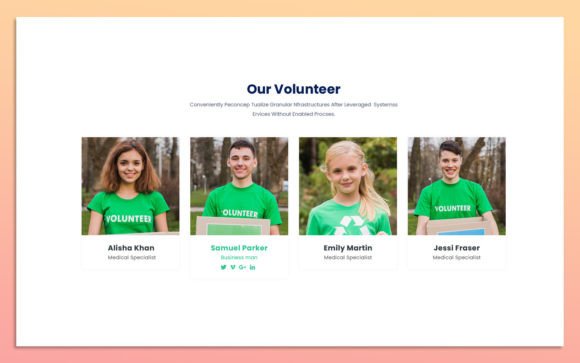
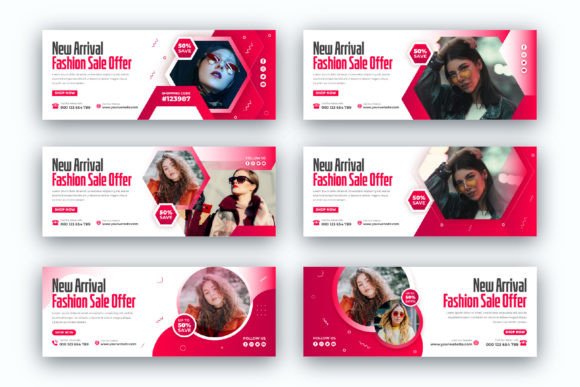
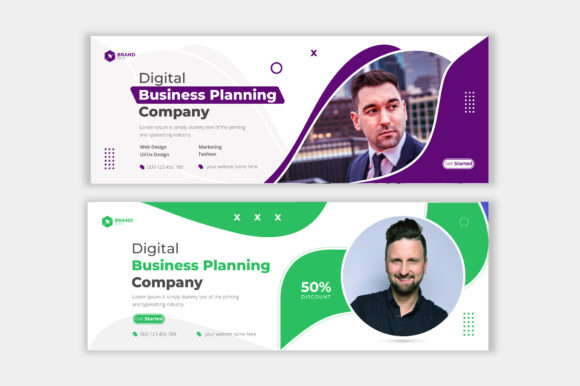
In the modern digital landscape, your portfolio is often the first handshake you offer to a potential client or employer. It is not merely a collection of past work; it is a strategic tool designed to communicate your value, style, and professionalism instantly. However, building a compelling online presence from scratch can be daunting, especially for those who are experts in their craft but not necessarily in web design. This is where 11 Portfolio UI Elements becomes an invaluable resource. These pre-designed interface components provide a structured yet flexible foundation for showcasing creative work, services, or products without the steep learning curve associated with custom coding or complex design software.
The core appeal of these elements lies in their simplicity and adaptability. Designed for adults ranging from freelancers and entrepreneurs to marketers and educators, this toolkit addresses a common pain point: the need for a polished, professional look that doesn’t require hundreds of hours of development time. Whether you are launching a new personal brand, updating a corporate service page, or creating a digital resume, having access to clean, modern, and fully customizable UI elements allows you to focus on what matters most—your content.
Why Simplicity and Customization Matter in Web Design
Many users hesitate to update their websites because they fear breaking the layout or spending too much time tweaking minor details. The 11 Portfolio UI Elements package solves this by offering a balance between structure and freedom. Each element is built with fully organized layers in Adobe Photoshop, meaning you are not working with a flat, uneditable image. Instead, you have complete control over every aspect of the design.
For instance, if your brand identity relies on a specific shade of blue, you do not need to hunt through code snippets to change hex values. You can simply adjust the color styles directly in the PSD file. This level of customization ensures that your portfolio remains consistent with your broader branding efforts. Furthermore, the use of Google Fonts means that typography is not an afterthought. You can easily swap out font families to match the tone of your message, whether you need something bold and authoritative for a legal consultant or light and airy for a lifestyle blogger.
The RGB color format ensures that what you see on your screen is exactly what your audience will see on their devices. This attention to technical detail prevents the frustration of colors appearing washed out or distorted when viewed on different monitors, a common issue for those new to digital design.
Real-World Applications for Diverse Professionals
The versatility of these UI elements makes them suitable for a wide array of users. Let’s explore how different professionals can leverage this toolkit in their daily workflows.
Freelancers and Creative Agencies
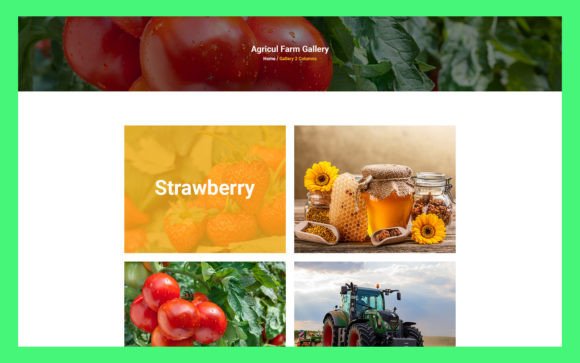
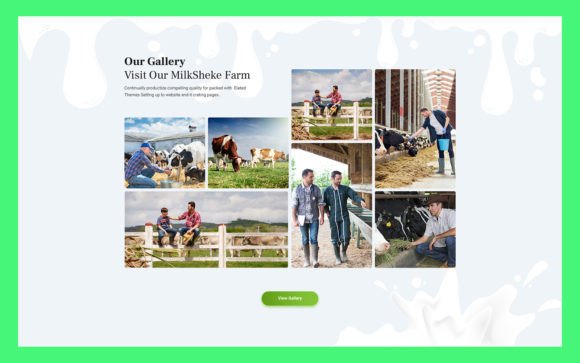
For graphic designers, photographers, and illustrators, the visual presentation of their work is paramount. A cluttered or outdated portfolio can undermine even the most impressive projects. Using these clean and modern design elements, a freelancer can create a gallery section that highlights their best work without distraction. The organized layers allow them to quickly swap out placeholder images with their actual projects, ensuring the site looks fresh and relevant. This efficiency is crucial when pitching to new clients, as it allows for rapid iteration and customization based on the specific industry of the prospect.
Entrepreneurs and Small Business Owners
Small business owners often wear many hats, and web design is rarely their primary expertise. An entrepreneur launching a new service-based business can use these UI elements to create a trustworthy "About Us" or "Services" page. The simple, clean aesthetic conveys professionalism and reliability, which are key factors in converting visitors into customers. By using pre-built components, they avoid the high costs of hiring a design agency while still achieving a high-end look. This is particularly useful for startups operating on tight budgets who need to establish credibility quickly.
Educators and Coaches
Online educators and life coaches rely heavily on personal branding to connect with their students. A portfolio in this context might include testimonials, course outlines, and bio sections. The customizable nature of the 11 Portfolio UI Elements allows educators to arrange these components in a way that guides the user’s journey logically. For example, a coach might prioritize a strong call-to-action button for booking consultations, placing it prominently within the design hierarchy. The ease of editing text and colors means they can update their offerings or seasonal promotions without needing technical assistance.
Marketers and Content Creators
Marketers often need to showcase case studies or campaign results. These UI elements can be adapted to create visually engaging case study layouts that break down complex data into digestible formats. Bloggers and content creators can also benefit by using these templates to design media kits for potential sponsors. A well-designed media kit demonstrates professionalism and can significantly increase the chances of securing partnerships. The ability to quickly modify the design allows marketers to tailor their kits for different brands, highlighting relevant metrics and aesthetics that align with the sponsor’s identity.
Key Features That Drive Usability
Understanding the technical specifications of the toolkit helps users maximize its potential. Here is why the specific features of this package matter in practical terms:
- Fully Organized Layers: This is perhaps the most critical feature for non-designers. When layers are named and grouped logically, you spend less time searching for the right element and more time designing. It reduces the cognitive load and makes the editing process intuitive.
- Source File Format (PSD): Adobe Photoshop is an industry-standard tool. By providing the source file in this format, the toolkit ensures compatibility with a vast ecosystem of plugins and tutorials. Users can find endless resources online to help them troubleshoot or enhance their designs.
- Google Fonts Integration: Typography plays a huge role in readability and user experience. Using web-safe, widely available fonts ensures that your portfolio loads quickly and looks consistent across all browsers and devices.
- Simple, Clean, and Modern Design: Trends in web design shift towards minimalism and clarity. These elements adhere to current best practices, ensuring that your portfolio does not look dated shortly after launch. A clean design also improves accessibility, making your content easier to consume for all users.
Considerations Before You Start
While 11 Portfolio UI Elements offers a streamlined path to a professional website, there are a few things users should consider before diving in. First, assess your comfort level with Adobe Photoshop. While the files are easy to edit, basic familiarity with layers, masks, and text tools is necessary. If you are completely new to Photoshop, consider watching a few introductory tutorials to make the most of the organized layer structure.
Second, think about your content strategy. A beautiful template cannot compensate for weak content. Before you start customizing the colors and fonts, gather your high-quality images, write your copy, and define your key messages. Having your content ready will make the design process much faster and more cohesive.
Finally, consider the platform where you will implement these designs. Since these are PSD files, you will need to slice the images or recreate the layout in your website builder or hand them off to a developer. Understanding this workflow step is essential to ensure a smooth transition from design to live website.
In conclusion, 11 Portfolio UI Elements provides a practical, efficient solution for anyone looking to elevate their digital presence. By combining ease of use with professional-grade customization, it empowers users to create portfolios that truly reflect their unique brand and capabilities. Whether you are a seasoned creative or a small business owner taking your first steps online, these tools offer the flexibility and quality needed to stand out in a crowded digital world.